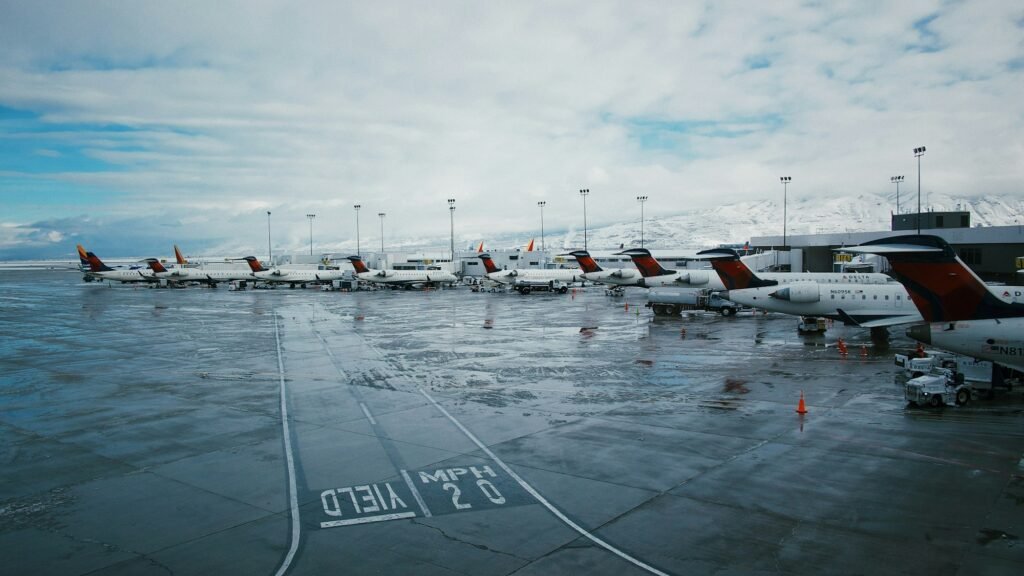
Twelve modules that replace the spreadsheets, carbon copies, and binders your team uses today. Start with one and add the rest when you are ready.
Daily Ops Log & Dashboard
Self-Inspection & Discrepancies
Field Conditions & ARFF
Wildlife & Flight Activity
Citations, Permits & Driver Testing
Incident, Accident & Fuel Spill Reports
Noise Management
Airside Assets & Maintenance
Vehicles & Inventory
Communication Board & Calendar
Work Schedule & Ops Team
Tenants & Construction Projects
Category
Operations
Daily records, inspections, and airfield conditions.
Daily Ops Log & Dashboard
Every shift, fully documented.
Open, record, and close shifts with structured entry types. A live dashboard shows the current shift, active closures, and team notices.
Key capabilities
Open Shift, Add Entry, Close Shift workflow
50+ configurable entry types tailored to your airport
Live dashboard with current shift, closures, and notices
Supervisor view of all open shifts in real time
One-click PDF export of the complete shift log
What it replaces
Shift notes scattered across spreadsheets are hard to trust and harder to search. Each shift becomes one structured, signed-off record.
Self-Inspection & Discrepancies
Inspect, find, fix, and close the loop.
Record airfield self-inspections and report discrepancies against the exact asset, then track each one until it is closed.
Key capabilities
Numbered self-inspection records with inspector and result
Discrepancies reported against a specific asset
Priority and status tracking until close-out
Inspection history kept to support Part 139 recordkeeping
What it replaces
Inspection checklists on paper and discrepancies passed along by phone make it hard to prove what was found and when it was fixed.
Field Conditions & ARFF
Runway conditions and ARFF status, current.
Report runway condition codes by thirds and keep ARFF vehicle status and index current, with a full history of every update.
Key capabilities
RwyCC by thirds: touchdown, midpoint, rollout
FICON text drafted for review before NOTAM entry
ARFF vehicle status pulled from the asset registry
ARFF index updates with a complete history
What it replaces
Condition reports and ARFF readiness tracked on whiteboards and radio calls leave no record and no single source of truth.
Wildlife & Flight Activity
Know what moved on your airfield.
Log wildlife sightings and dispersals, record daily flight counts, track after-hours flights, and keep a list of based aircraft.
Key capabilities
Wildlife sighting and dispersal log
Daily flight counts with a three-year trend chart
After-hours flight log with a daily report
Based aircraft list with owner and parking
What it replaces
Wildlife notes and flight counts kept in separate notebooks are hard to total and harder to report on.
Category
Safety & Enforcement
Enforcement, permits, incident reports, and community noise.
Citations, Permits & Driver Testing
Issue it on the ramp. File it instantly.
Issue violations from an iPad, manage airside driving permits, and give drivers a 50-question airside driving test online.
Key capabilities
Multi-step citation form built for iPad
Sequential numbering, on-screen signature, automatic PDF
Airside driving permit records, linked to citations
50-question airside driving test with scoring
My Citations and All Citations views
What it replaces
Carbon-copy citations get lost and misnumbered, and driver permits and test results live in separate binders.
Incident, Accident & Fuel Spill Reports
Every detail captured at the scene.
Capture scene photos, unlimited witnesses, evidence, and close-out for accidents and fuel spills, with access limited to supervisors.
Key capabilities
Built to match your existing report form
Scene photos, unlimited witnesses, and evidence
Close-out step with sign-off
Fuel spill reports in the same workflow
Visible only to the author and Ops supervisors
What it replaces
Reports written up hours later miss details, and fuel spill paperwork is easy to lose.
Noise Management
Curfew cases and complaints, handled.
Track curfew cases and noise complaints from first report to resolution, with a clear record for your community and airport leadership.
Key capabilities
Curfew case tracking
Noise complaint intake and follow-up
Status and resolution history for every case
What it replaces
Noise complaints arrive by phone and email and get answered from memory, with no record of the outcome.
Category
Assets & Maintenance
Everything on the airfield that needs care, and the vehicles and supplies that keep crews moving.
Airside Assets & Maintenance
From fault report to fix, on the map.
Keep every runway light, sign, hangar, and fuel facility in one asset registry on an interactive airfield map, with preventive maintenance and work requests.
Key capabilities
Asset registry with an interactive airfield map
Asset status: operational, degraded, out of service
Bulk import and export of assets by spreadsheet
Preventive maintenance schedule with sign-off
Airfield work requests with priority and status
What it replaces
"The light near the hold line" is not a location. Faults are reported against the exact asset, so crews go straight to the right fixture.
Vehicles & Inventory
Every vehicle and supply accounted for.
Check vehicles out and in, request repairs, and keep emergency-use and storage inventory counts current.
Key capabilities
Vehicle check-out and check-in log
Vehicle repair requests with maintenance records
Emergency-use and storage inventory
Restock history with who and when
What it replaces
Vehicle keys, repair needs, and supply counts tracked on clipboards are out of date the moment you need them.
Category
People & Communication
Notices, events, and who is on every shift.
Communication Board & Calendar
Know who read the notice.
Post notices to your team, track who has acknowledged them, and keep events and emergency contacts in one place.
Key capabilities
Notices, updates, and attachments in one board
Acknowledge button with a timestamped record
Event calendar for the operations team
Emergency contact directory
What it replaces
A group text does not prove anyone read it, and contact lists go stale in a desk drawer.
Work Schedule & Ops Team
The right people on every shift.
Keep your ops team roster by role and build the work schedule from it, with repeating shifts and editing limited to supervisors.
Key capabilities
Ops team roster grouped by role
Work schedule built from the roster
Repeating shifts with a repeat-until date
Schedule editing limited to managers and supervisors
What it replaces
Schedules in spreadsheets drift from the real staff list and get overwritten by the wrong person.
Category
Tenants & Projects
The businesses and projects that share your airfield.
Tenants & Construction Projects
Tenants, permits, and projects in one view.
Keep tenant and FBO directories current, take vehicle decal permit requests online, and follow airport construction and tenant projects as cards.
Key capabilities
Tenant and FBO directory
Vehicle decal permit requests submitted online
Decal permit review and issue records
Construction and tenant project cards
What it replaces
Tenant contacts, decal applications, and project updates arrive in different inboxes and get lost.